Reading Challenge Resources
Help readers get ready, stay on track, and keep the S.T.E.A.M. Race to Space momentum going throughout the challenge.
Find what you need
Start with a Song
Every great journey begins with a book — and maybe a catchy theme song, too.
Play the S.T.E.A.M. Race to Space theme song, then find suggested books for the challenge.
Listen to the song
Play the theme song video to spark excitement for younger readers. (2 min. 25 sec.)
S.T.E.A.M. Book Recommendations
Explore suggested S.T.E.A.M.-themed books for each age group. Readers may choose recommendations from any age group that fits their reading needs.
Prizes are awarded based on the reader's age category.
Ages 4–6 • Picture Books
Ages 7–9 • Early Reader
Ages 10–13 • Middle Grade
Ages 14–18 • Young Adult


Beanstack Help & FAQs
Registration opens September 4, 2026.
Beanstack is is where readers register, log reading, and submit virtual tickets.
Watch the registration walkthrough or explore the resources below.
Visit the Challenge's Beanstack Page
Register starting September 4. Once the challenge begins, log your reading and submit virtual tickets.
Download the Beanstack Mobile App
Download the app and search for "readsteam" when registration opens on September 4.
Registration & Beanstack
How do I find the Reading Challenge in the Beanstack mobile app?
Open the Beanstack mobile app and search for the Reading Challenge site.
- Tap Find your school or library.
- Search for readsteam.
- Select S.T.E.A.M. Race to Space Reading Challenge.
I already have a Beanstack account through my library or school. Can I use it for this challenge?
No. You will need to create an account specifically for the S.T.E.A.M. Race to Space Reading Challenge.
For help finding the challenge, see the FAQ: How do I find the Reading Challenge in the Beanstack mobile app?
Can I switch between my library/school Beanstack account and this challenge?
Yes. In the Beanstack mobile app, you can add another account and switch between accounts.
To add the Reading Challenge account:
- Log in to the Beanstack mobile app.
- Tap the Settings gear icon in the top right corner of the screen.
- On the Settings screen, select Account.
- Tap Add Account.
- Choose Find your school or library to search for and select the correct site, such as readsteam.
- Sign in to an existing account or create an account on that Beanstack site.
To switch between connected accounts:
- Tap your reader icon in the top right corner of the screen.
- Next to the account name, select Change.
- In the pop-up window, choose the account you want to use.
Can students register with a school email address?
We strongly recommend using a personal or parent/guardian email address, since many school email systems block outside messages.
If a student needs to register with a school email address, please include a phone number in the Beanstack registration. Without another way to contact the student or family, the student may miss important challenge notifications. If selected for a bonus drawing, they may miss the notification and lose the opportunity to claim the prize.
My child’s school isn’t listed in Beanstack. How do I register them for the Reading Challenge?
You can still register your child. If their school isn't listed, select "Other" from the school dropdown menu. If your area isn't listed, select "Other" from that dropdown menu as well.
Then complete the registration as usual.
I don't live in Orange County. Can my child still participate in the Reading Challenge?
Yes! Students ages 4–18 from anywhere in the U.S. and around the world can participate in the S.T.E.A.M. Race to Space Reading Challenge.
As a nonprofit with a limited budget, we’re unable to ship physical prizes outside Orange County, California. Students outside the area are still eligible for digital and online prizes.
What Counts as Reading
What counts as reading for the challenge?
The S.T.E.A.M. Race to Space Reading Challenge is a book-based literacy program that encourages participants to discover the joy of reading.
Participants may read books of their choice, including fiction, nonfiction, biographies, graphic novels, poetry, and age-appropriate informational books. Our S.T.E.A.M. book recommendations are simply suggestions to help families discover engaging books that explore science, technology, engineering, the arts, and mathematics.
Whether you choose books from our recommendations, your school or public library, your classroom, or your own bookshelf, every book counts toward your reading goals.
Do audiobooks, ebooks, or read-alouds count?
Yes! Audiobooks, ebooks, and read-alouds count toward the reading challenge.
Participants are welcome to read printed books, ebooks, graphic novels, or listen to audiobooks. Younger children may also have books read aloud to them by a parent, grandparent, teacher, caregiver, or older sibling.
Can readers choose books that are not on the S.T.E.A.M. Book Recommendations lists?
Absolutely! Participants are welcome to read any books they enjoy. Every book counts toward the reading challenge.
Our S.T.E.A.M. Book Recommendations lists are simply a resource to help families and educators discover engaging books that connect science, technology, engineering, the arts, and mathematics (S.T.E.A.M.). Each recommended title is identified by the S.T.E.A.M. subject it features, making it easy to find books that match a student's interest.
Logging Your Reading
How do I log my reading?
You can log your reading through the Beanstack website or mobile app.
Website
- Log in to your Beanstack account you used to register for the Reading Challenge.
- In the upper left corner, click Log Reading and select a log type: Log Minutes or Log Pages, depending on your reading category.
- On the calendar, select the date you need to record your reading.
- Fill in the required fields.
- When you're done, click Log Reading.
Mobile App
- Log in to your Beanstack account you used to register for the Reading Challenge.
- Tap the blue add button at the bottom of the screen.
- Select Reading.
- Enter a book title or tap Log Without a Title.
- Select the day you need to record your reading. Tap Change to change the date.
- Fill in the minutes or pages, depending on your reading category.
- Tap Done.
Why isn't my book's cover showing up in Beanstack?
Beanstack's collection doesn't include every book cover. Try searching by the book's title or author's name. If you still can't find the cover, you can upload your own photo.
What if I forget to log my reading?
No problem! You can log your reading minutes and submit book reviews at any time during the reading challenge.
Writing a book review is a great way to reflect on what you read, strengthen your understanding of the story, celebrate your reading accomplishments, and earn additional virtual tickets for bonus prize drawings.
Just be sure to enter all reading minutes, submit any book reviews, and use your virtual tickets in Beanstack by Saturday, October 17, 2026.
What should I do if I have trouble logging reading or submitting tickets in Beanstack?
If you're participating through a school, your school librarian is often the best person to help with Beanstack questions and can usually resolve most issues quickly.
If you're a homeschool or charter school participant, an independent reader, or if you still need assistance after speaking with your school librarian, we're happy to help! Simply email us at steamracetospace@gmail.com, and we'll do our best to answer your questions or point you in the right direction.
We want every participant to have a fun, successful, and rewarding reading experience!
Virtual Tickets, Rewards & Bonus Drawings
How can I earn virtual tickets?
You can earn virtual tickets by reaching reading goals and submitting book reviews in Beanstack.
Each reading category has its own reading goals. You can also earn 3 virtual tickets for each book review you submit, up to three reviews (up to 9 additional tickets).
Visit your reading category page to see your reading goals, rewards, and bonus drawings.
How do reward packages and bonus drawings work?
Readers who complete the Base Goal earn Beanstack digital badges, virtual tickets, a certificate of completion, and a reward package (contents may vary).
Reward packages will be delivered to each school district by the Orange County Department of Education (OCDE), then distributed to participating schools.
Readers can also earn more virtual tickets by completing Bonus Goals. These tickets can be used in Beanstack to enter bonus drawings by Saturday, October 17, 2026.
Bonus drawing winners will be posted on this website and notified by email, along with an invitation to the November 14 Splashdown Celebration at OCDE in Costa Mesa. Bonus prizes will be distributed at the celebration.
Please note: We're unable to ship physical prizes outside Orange County, California. Students outside the area are still eligible for digital and online prizes.
How do I enter bonus drawings with virtual tickets?
After earning virtual tickets in Beanstack, you can choose which bonus drawings you want to enter. There's no limit to how many tickets you can enter into a single drawing. You can put all your tickets toward one prize or spread them across multiple drawings.
- Log in to the Beanstack account you used to register for the Reading Challenge.
- Choose Ticket Drawings.
- Select a bonus drawing.
- Review the number of tickets you have available.
- Choose how many tickets you want to submit to that bonus drawing.
- Repeat these steps if you want to submit tickets to more than one bonus drawing.
All virtual tickets must be submitted to a drawing by Saturday, October 17, 2026.
Is there a limit to how many virtual tickets I can earn?
Yes. Each reading category has a maximum number of virtual tickets you can earn through reading goals. You can earn up to 9 additional tickets by submitting three book reviews (3 tickets per review).
Picture Books & Early Reader: Up to 20 tickets from reading goals + 9 from book reviews = 29 tickets maximum
Middle Grade: Up to 32 tickets from reading goals + 9 from book reviews = 41 tickets maximum
Young Adult: Up to 44 tickets from reading goals + 9 from book reviews = 53 tickets maximum

Teacher Participation & Rewards
Bring the challenge into your classroom with simple ways to encourage reading, support participation, and help students get started.
Simple ways to support participation
- Share Reading Challenge reminders with students and families.
- Guide students through Beanstack registration.
- Help students find S.T.E.A.M.-themed books.
Get updates about classroom bonus opportunities, key dates, and resources for teachers.
Teacher FAQs
How can my class participate?
Students participate by creating their own Beanstack account, registering for the Reading Challenge, logging their reading, earning virtual badges, and submitting virtual tickets to bonus drawings.
Teachers can support class participation by sharing challenge reminders and using the resources available on this page, including:
- S.T.E.A.M. book recommendations
- Reading Challenge theme song
- S.T.E.A.M.-focused activities
- Educational videos from past guest authors on YouTube
What email address should students use?
Students may register with a personal email address, school email address, or parent/guardian email address.
School email address: If a student uses a school email address, we strongly recommend including a phone number in the Beanstack registration so there is another way to contact the student or family about important challenge notifications.
Teacher tip: Consider asking your district's IT department to allow emails from steamracetospace@gmail.com so students do not miss Reading Challenge notifications.
Can I register my class for the Reading Challenge?
Yes, but we do not recommend registering a class as a group because the teacher must log reading and submit virtual tickets for each student individually.
If you still choose to register a class or group:
- Select Register a Class or Group on the Beanstack landing page.
- Choose the option to log reading for the group individually.
- Enter the basic information for the group.
- Enter the group leader's information as the account creator. This login will be used to access and manage the group account.
- Select Register Group. You will see any available challenges and then be taken to the group reader view.
Important: Do not choose All at One Time. That option does not allow students to be individually rewarded for their reading progress.
After the group is created, you will need to edit each individual reader's account information, including name and age. Reading and activities are logged separately for each reader, so students may earn badges and virtual tickets at different times.
Reward Opportunity
Classroom Rewards
Classrooms with strong Reading Challenge participation may be selected for a special classroom reward.
To help your class stand out, share photos, testimonials, or class projects that show how your students are participating in the challenge.
How to submit: Send submissions by email or tag @ReadSteam on Instagram.
MARS Portable Planetarium Show
Includes an immersive 45-minute planetarium experience for up to 30 kids.
Sponsored by MARS Portable Planetarium.
30 Second Dance Pizza Party
Includes Dance Party buttons, prize packs, and a pizza gift card for a class celebration.
Sponsored by 30 Second Dance Party.
Interstellar Reward Kit
Includes an Estes rocket, plus a space-flown poster with a certificate of flight.
Sponsored by Club for the Future.
Cosmic Ray Bulk Pack
Includes 12 beginner-friendly rockets for students starting their journey into space exploration.
Sponsored by Estes Education.
Selected teachers will receive an invitation to accept their classroom reward at the Splashdown Celebration on Saturday, November 14, 2026.
School Prize
ISS Above: Bring the International Space Station to Your School!
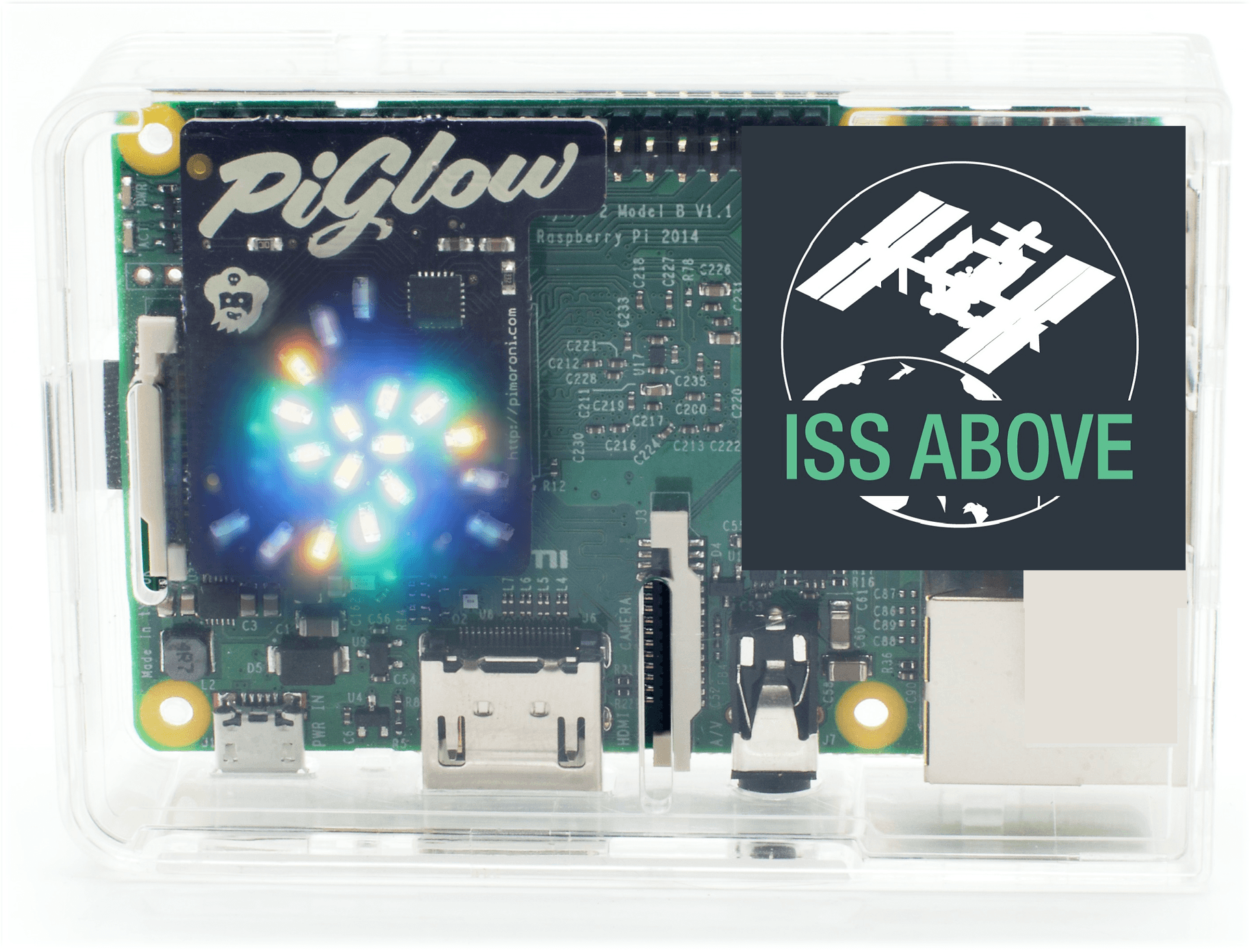
Imagine watching live views of Earth from space, tracking the International Space Station, and discovering when astronauts are passing overhead!
Created by inventor Liam Kennedy, ISS Above transforms a classroom TV into a window to space with live video, astronaut information, orbital tracking, and space facts.
The winning school will receive a special ISS Above system customized with S.T.E.A.M. Race to Space recognition!
How to Win
The school with the highest percentage of registered students who complete the S.T.E.A.M. Race to Space Reading Challenge wins!
To qualify, schools must have at least 25 students registered in the challenge. It's not about how big your school is. It's about how many of your participating students cross the finish line.
Splashdown Celebration
The winning school's principal or a designated teacher will be invited to accept the ISS Above prize at the Splashdown Celebration on Saturday, November 14, 2026.
ISS Above inventor Liam Kennedy will also join us in person, bringing an interactive exhibit that gives students and families an exciting opportunity to experience the wonders of space exploration!
Librarian Support
Thank you for helping readers discover new books, build curiosity, and stay connected to the S.T.E.A.M. Race to Space Reading Challenge.
Simple ways to help
- Help students find S.T.E.A.M.-themed books.
- Share Reading Challenge flyers and marketing materials.
- Create an engaging S.T.E.A.M.-themed book display.
- Help students find us on Beanstack.
- Follow and share Reading Challenge updates on social media.
Ready to support readers?
Sign up for Librarian Email Updates to get key dates, ready-to-use materials, and early access to S.T.E.A.M. book recommendations.
Hear how librarians can help students get excited about the Reading Challenge. (1 min. 40 sec.)
Learning Launchpad
Educational websites, activities, and printable resources for families and educators who want to keep S.T.E.A.M. learning going beyond the Reading Challenge.
Space, Rockets & STEM Resources
JPL Education: K–12 STEM Educator Resources
Explore hundreds of STEM resources for K–12 teachers and students, including lesson plans, projects, and videos.
Club for the Future: K–12 Space-Focused Lessons
Explore space-focused classroom activities and lessons for K–12 educators and parents.
Science Never Stops: K–12 STEM Videos & Activities
Explore Science Never Stops videos and learning modules with hands-on activities, STEM career connections, and topics like rockets, drones, and satellites.
Estes Education: Rocketry-Based STEM Resources
Find model rocketry activities, hands-on curriculum, and training resources that help educators bring real-world aerospace science to students while supporting 21st-century skills, NGSS, and Common Core Standards.
Discovery Education: Real-World Classroom Resources
Explore ready-to-use classroom resources from Discovery Education partners that help students connect timely topics with real-world learning, careers, and future success.
Science, Engineering & Everday STEM
Solve It! for Kids: Science Problem-Solving Podcast
Hear from scientists, engineers, and experts as they solve problems in their every day jobs. Each episode ends with an interactive challenge for the whole family to try.
Metropolitan Water District of Orange County: Grab-and-Go Water Activities
Explore free, self-guided water activities from MWDOC that help Orange County K–12 students learn about water awareness, emergency preparedness, and water filtration. These hands-on activities can be done in the classroom or at home with the whole family.
Featured Chefs: Cooking Videos & Recipes
Use recipe videos and matching PDFs from featured chefs Maria Loi and Gino Campagna for hands-on cooking at home or in the classroom.
Chef Maria Loi: Tyropita Mini Cheese Pies
Watch Tyropita Recipe Video on YouTube
Download Tyropita Recipe (PDF)
Chef Gino Campagna: Thumbprint Gnocchi
Watch Thumbprint Gnocci Recipe Video on YouTube
Books, Authors & Reading Inspiration
S.T.E.A.M. Race to Space Reading Challenge: Author & Astronaut Videos
Explore author and astronaut videos created for the S.T.E.A.M. Race to Space Reading Challenge to inspire readers and connect books with S.T.E.A.M. learning.
Story Time from Space: Astronaut Read-Alouds
Watch astronauts read children's books from the International Space Station and bring space-themed storytime into classrooms, libraries, or home learning.
Author Patricia Newman: Science & Nature Book Resources
Explore educator guides, activities, and resources that combine STEM and literacy through Patricia Newman's children's books about science, nature, and the environment.
Author Gabrielle Prendergast: Book Activities & Study Materials
Explore study guides, discussion questions, and printable activities connected to Gabrielle Prendergast's books, including space-themed resources for If Pluto Was a Pea.
She Blinded Me with Science!: Featured Book Activities
Explore discussion questions and activities for five featured children's books by women authors, plus additional STEM book recommendations and science-related websites.
Sea Lions in the Parking Lot: Discussion Guide
Explore discussion questions for Sea Lions in the Parking Lot, a children's book about wildlife, ecosystems, and changing environments. The PDF also includes a paired guide for The Longest Storm.
Abrams Books: Teaching Guides
Browse children's and young adult book titles with teaching guides, including many that connect reading with science, nature, art, and S.T.E.A.M. learning.
Promotional Materials
Download printable and shareable materials to help promote the Reading Challenge with students, families, classrooms, and library communities.
2026 Save the Date
Share the 2026 challenge dates with students, families, and community partners.
Theme Song Lyrics
Download the lyrics for the S.T.E.A.M. Race to Space theme song to sing along with young readers.
2026 Challenge Flyers
Choose from two 2026 S.T.E.A.M. Race to Space Reading Challenge flyers to download and share.
2025 Challenge Impact Overview
See a snapshot of last year's Reading Challenge impact, including participation, minutes read, and rewards distributed.